Printing the parts
Almost everything prints with default settings. The exceptions are the mounting hardware and the labels, and the labels get their own chapter.
Only if you print your own parts
That means the no-prints kit or a build from scratch. If you ordered the standard kit, everything here is already printed and in your box. Skip to building the modules.
The ready-made project file
The main Printables post includes all-components.3mf, an OrcaSlicer project with every part laid out and all the settings on this page already applied. If you use OrcaSlicer, open that file and print; everything below is only needed if you are slicing the parts yourself.
Standard settings
Almost all components print with standard settings for 0.4mm nozzle with 0.2mm layer height and no supports. I use matte PETG for most parts, but any material would do.
- Nozzle
- 0.4 mm
- Layer height
- 0.2 mm
- Supports
- None, except the lever housing
- Material
- Matte PETG, though anything works
Mounting hardware
For all mounting components, use at least 3 wall loops. The table clamps need extra strengthening around the inner edge. Use a square modifier with 100% concentric infill.
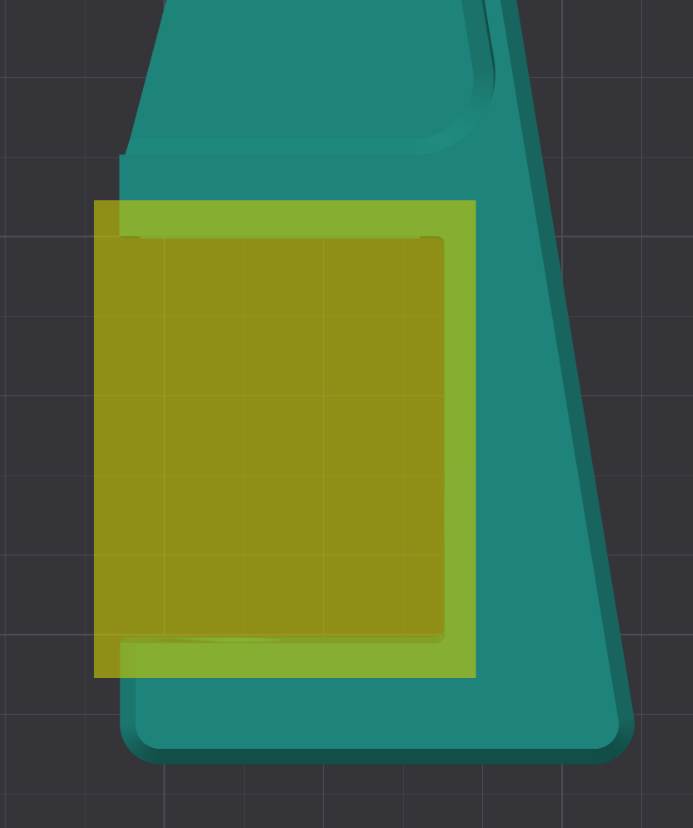
The mounting plates can also use strengthening like this for rigidity, but it is not required.
Orientation per part
Each module post gives its own orientation. Collected here so you can queue a whole plate in one go.
- Dual-Position Module
- Front facing down, no supports
- Rotary Module
- Main part front down, knob upright, no supports
- Two-Slot Rotary Switch Module
- Main part front down, knob upright, no supports
- Key module
- Main part top down; key-cap on the side opposite the label opening
- Lever module
- Housing front down with tree supports; everything else auto-orient
- Guarded switch module
- Housing front down, no supports
The lever housing is the only part in the entire system that needs supports, and tree supports specifically. Everything else prints clean, so if your slicer is generating supports for another part, check its orientation.
Where the files are
The enclosure, the plate, and the mounting hardware are on the main SIMINPUT Modular Button Box System post. Each module has its own post, all linked from files and links. The full CAD is on Onshape if you want to change a dimension before printing.